5 Payables and Expenses Procedures External Auditors Can Run With a Prebuilt Agent
.png?width=1400&quality=90&format=avif&crop=fit)
Payables and expenses sit at the intersection of high volume and high risk. The procedures themselves are well established: match the purchase order to the goods receipt and the invoice, check post-period payments for unrecorded liabilities, look for duplicates. But running them manually across hundreds or thousands of transactions takes time and introduces the kind of fatigue-driven errors that audits are designed to catch in the first place.
Here are five prebuilt agents for payables and expenses worth adding to your next engagement. See an explainer video below before we get started:
1. Three-Way Purchase Matching
What it does
The agent matches the sample data with purchase order, goods receipt, and vendor invoice across three documents. It confirms that quantities, prices, and terms agree before the payable is recorded.
What it's used for
Three-way matching is the foundation of AP controls testing and substantive work. It confirms that payments are made for goods actually ordered and received at the agreed price. In high-volume environments like manufacturing, retail, and distribution, doing this manually for even a modest sample is slow and error-prone.
What to expect
You load the Samples, PO population, goods receipt records, and invoices. The agent extracts quantities, unit prices, and vendor references from each document, then matches them across all three. It produces a results table showing fully matched items and exceptions: quantity mismatches, price variances, invoices with no corresponding GRN, and GRNs with no invoice.
Tips
- Partial receipts are common in ongoing supplier relationships. Set a tolerance threshold before reviewing exceptions so you are not chasing rounding differences on partial deliveries.
- Invoices that match on amount but not on item description are worth a second look, as they can indicate substituted goods that were never flagged.
- If the client uses multiple procurement systems, confirm that PO and GRN data from all systems are included in your population before running the agent.
2. Duplicate Payment Detection
What it does
The agent scans invoices and payment records for duplicates and quantifies potential recoveries.
What it's used for
Duplicate payments are one of the most common payables errors, and one of the easiest to miss when reviewing by hand. The same invoice paid twice, a vendor statement paid alongside an invoice already settled, a payment posted to two vendors with similar names. This agent surfaces all of those patterns across the full population.
What to expect
The agent processes the invoice and payment ledger population, matching on vendor, amount, invoice number, and date. It flags exact duplicates, near-duplicates (same amount, different invoice number), and payments to the same vendor within a short window that may indicate double processing. The output includes a prioritized list of flagged items with the amounts at stake.
Tips
- Run this on the complete population, not a sample. Its value is in finding anomalies you would not have selected otherwise, and duplicate payments do not cluster predictably.
- Near-duplicates often have legitimate explanations: credit re-billing, amended invoices. They are still worth reviewing, especially above your materiality threshold.
- The quantified recovery estimate in the output is useful for communicating findings to management and for documenting the finding's financial impact.
3. Unrecorded Liability Search
What it does
The agent sweeps post-period payments and open items to identify liabilities that were omitted at period-end.
What it's used for
Completeness of accounts payable is one of the harder assertions to test directly. You cannot confirm what is not there. The standard approach is to search post-period payments for large items that relate to goods or services received before the cutoff date, as evidence that a liability existed but was not recorded. This agent automates that search.
What to expect
You provide a post-period payment extract and open AP items. The agent identifies payments made after period-end that relate to pre-period activity, based on invoice dates, PO dates, and delivery evidence, and flags them as potential unrecorded liabilities. It produces an exceptions list ordered by amount.
Tips
- The window matters. Standard practice is to search payments made in the first 30 to 60 days after period-end. Confirm your window before loading the population.
- Invoices with pre-period dates but post-period receipt dates are a judgment call. They may reflect delayed billing rather than a recording failure. Document your reasoning on any item you clear.
- Large recurring accruals (rent, utilities, professional fees) are worth checking separately against the unrecorded liability output. If a regular item is missing, the agent will surface it.
4. Vendor Statement Reconciliation
What it does
The agent reconciles supplier statements to the AP ledger and investigates differences for unrecorded or misstated liabilities.
What it's used for
Vendor statement reconciliation is a direct test for completeness and accuracy of accounts payable. Differences between what the vendor believes is owed and what the client has recorded can indicate missed invoices, timing differences, or disputes that have not been resolved or disclosed. It is particularly useful for high-value or high-volume supplier relationships.
What to expect
You load the vendor statement and the corresponding AP ledger extract. The agent matches items line by line, covering invoices, credits, and payments, and produces a reconciliation with matched items and unreconciled differences. Differences are categorized by type: timing items, items on the statement not in the ledger, and items in the ledger not on the statement.
Tips
- Request vendor statements directly where possible rather than relying on client-provided copies. This is standard practice and makes the evidence more reliable.
- Timing differences from items in transit at period-end are expected and do not require follow-up unless they are large or recurring. Focus on items that have no explanation.
- A high number of unreconciled items on a key supplier account is itself a finding worth escalating, regardless of whether individual differences are material.
5. Corporate Card Expense Verification
What it does
The agent tests corporate card charges by matching each transaction to a receipt and confirming approval. It flags missing receipts, unapproved charges, and amount discrepancies.
What it's used for
Corporate card programs generate large numbers of low-to-medium value transactions that are difficult to sample effectively by hand. Policy violations such as charges without receipts, transactions above individual limits, and personal purchases on business cards tend to be spread across the population rather than concentrated in a few accounts. This agent tests the full population.
What to expect
You load the corporate card transaction extract and the available receipt pack. The agent matches each transaction to a receipt by amount, date, and vendor, then checks whether the charge falls within the cardholder's approved limit and has a corresponding approval. The output shows matched and supported transactions, transactions with missing receipts, unapproved charges, and amount variances between the card statement and the receipt.
Tips
- Receipt coverage is often the binding constraint. If the client has not centralized receipts, the agent will flag a higher-than-expected number of missing-receipt exceptions. This is itself useful information about the strength of the control environment.
- Focus follow-up on high-value exceptions and on cardholders with multiple flagged transactions rather than reviewing every missing receipt individually.
- Unapproved charges are a separate finding from missing receipts. Track them separately in your workpaper, as they may indicate a controls gap rather than a documentation failure.
- As an additional check, review transaction or receipts descriptions for indications of personal spending on the corporate business card.
What comes next
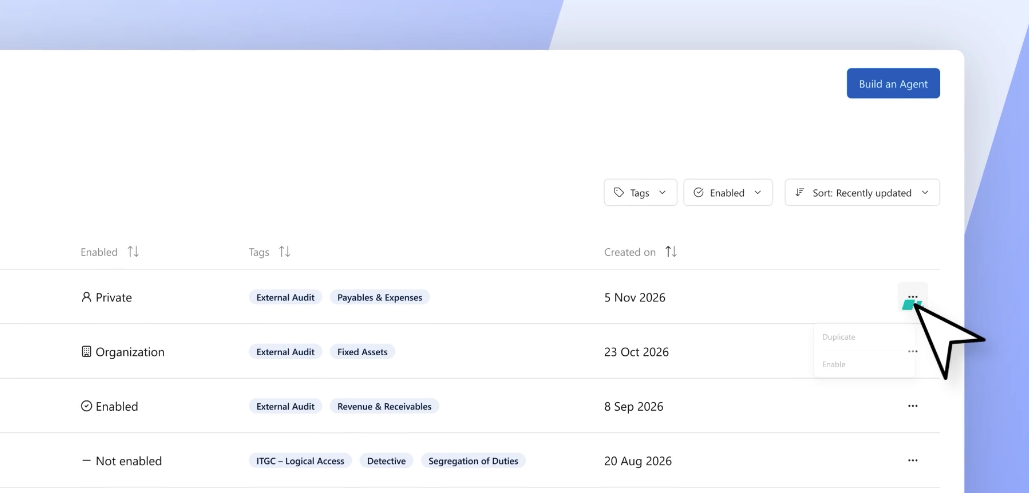
If you do not see an option to enable it, please contact your team’s content manager, who can help enable it for you.
.png?width=600&quality=70&format=auto&crop=16%3A9)