What's new in Excel Agents: June 2026

Excel sits at the core of audit and finance. It's also where hours quietly disappear into manual reconciliations, copy-pasting, and repetitive data checks that slow every team down.
Listening closely to our customers’ feedback, we keep building around the same principle: AI that works the way audit and finance actually work. Here are the six latest updates to Excel Agents.
Agent Builder
Every firm has proven approaches that work. Senior auditors who've refined a revenue testing approach over the years. Methodology that lives in their heads and gets re-explained to every new joiner at the start of fieldwork. That knowledge rarely survives the handoff.
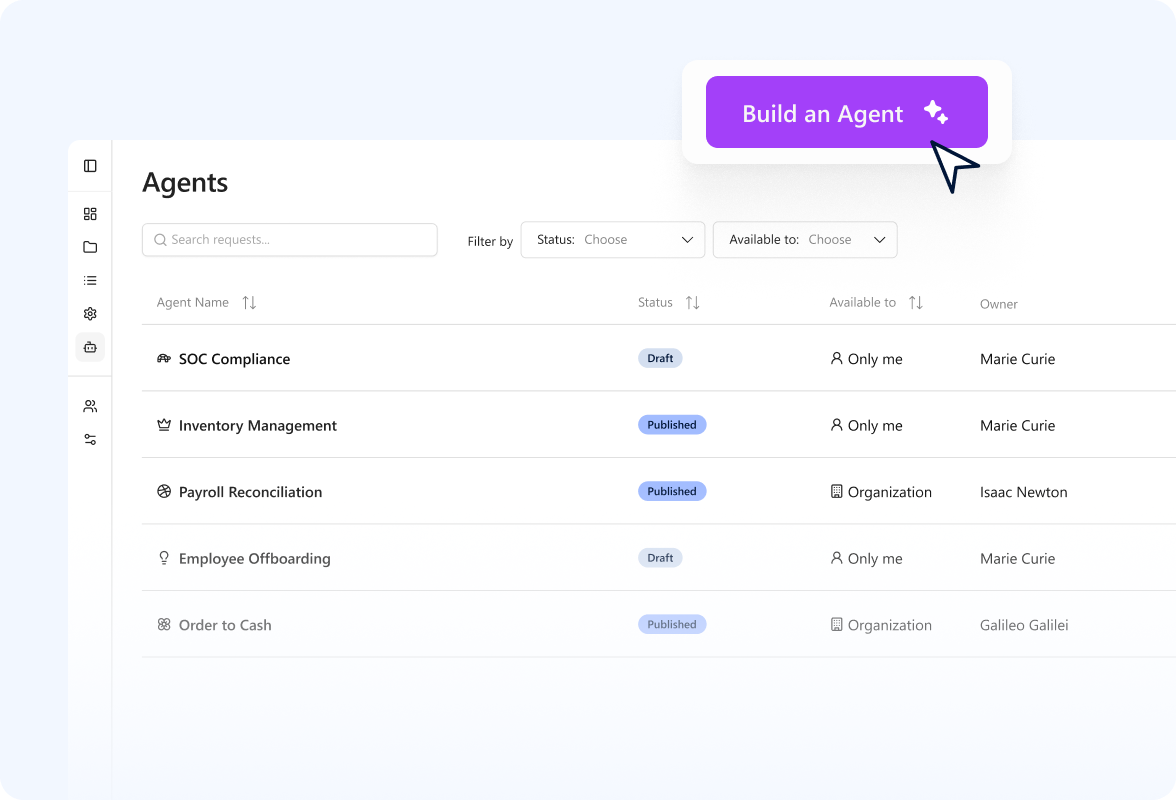
Agent Builder makes sure it does. You can now turn proven workflows into reusable agents by defining the steps, the order, the exceptions, the workpaper format, all in plain language. Test it. Publish it to your organization. From that point on, any team member can pick that agent and run it directly through Excel Agents, executing the same procedure consistently across teams and engagements.
Excel-to-Excel reconciliation
For a long time, reconciling across multiple workbooks meant workarounds, printing one of them to PDF, keeping two windows open, hoping nothing got missed. It was one of our most requested features.
Now, Excel Agents can read from multiple open workbooks simultaneously. Whatever the workflow, it runs in the same chat, and you stay in control by choosing exactly which files the agent can access.
Activity log
Security-conscious firms often ask: “How do I know what the agent actually did?”
With Activity log, the answer is always right there. Every action Excel Agents takes is automatically captured in a dedicated worksheet inside your workbook: what happened, when, and who triggered it. Trace back every change made, with a ready-made record for review, sign-off, and compliance.
AI Extractions templates for Excel Agents
Extracting data from documents is one of the most time-consuming steps in audit. Documents like K-1 tax forms, bank statements, and invoices rarely follow a consistent format, making manual extraction slow and error-prone.
Now those saved templates plug directly into your agent workflows. Ask the agent to apply a specific template, and it extracts the corresponding fields. It may even suggest a saved template when it detects a clear match. You decide whether it gets applied. Individual and company templates both work the same way, so your whole team runs consistent extractions without starting from scratch each time.
Agentic integrations
Audit evidence is scattered across platforms like SharePoint, OneDrive, and SAP Concur. Retrieving a single piece of evidence means switching systems and breaking focus. This is a loop that auditors repeat dozens of times a day.
Australia data residency
For regulated firms, where data lives is as important as what you do with it. That's why we keep expanding our data residency options, helping customers meet the privacy requirements and regulatory frameworks that govern data protection.
Australia is now a selectable data storage region for Excel Agents, alongside the European Union and the US. Teams that need their data to stay in Australia can meet that requirement.
.png)
Built for what’s next
Audit and finance will always require human judgment. That’s why DataSnipper is building toward a world where AI handles the procedure so professionals focus on the insight: reviewing what matters and signing off with confidence.
These six updates push that vision forward. Excel Agents executes more of the work, more consistently, and with the traceability that audit and finance require.
The work keeps getting done. The judgment stays yours.